Development that goes
one level deeper
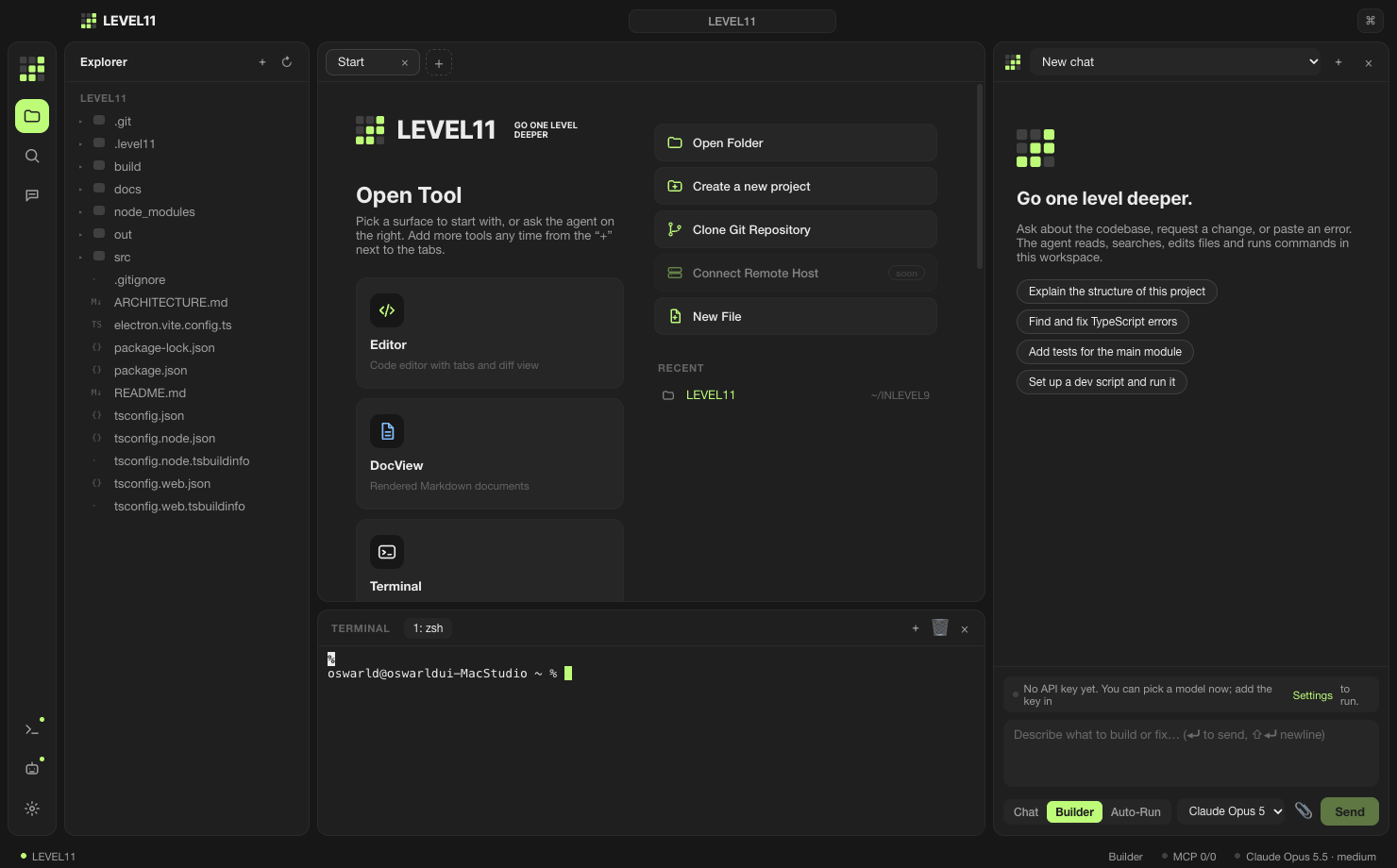
An agent that reads, edits, runs and reverts lives inside the IDE. Switch between Claude, GPT and Gemini in one session, and connect Korean services with a single key.
Windows and Linux builds on the same page. Preview release; free to start.
Why LEVEL11
Korean first, English too
UI, docs and agent replies default to Korean, with full English support. The code font defaults to D2Coding, and both fonts are chosen from what is installed on your machine.
Your choice of model
Add any one key — Claude, GPT or Gemini — and everything works. With a LEVEL11 account, the Router picks the model for the job.
Korean services, connected
Cafe24, NHN Cloud, Megazone, NAVER Cloud, Toss Payments, Nicepay, PayPle. Credentials are encrypted and reach only the commands the agent runs, as environment variables.
Automation you can undo
A checkpoint per turn, approvals before commands. If you don’t like it, revert in one click.
Ten Open Tools to start from
Choose what to open when you start. Editor, docs, terminal and browser all share the same agent.
The IDE you already know. Monaco-based editor, tabs, quick open, command palette.
A Markdown editor. Write and preview docs next to the code.
A terminal-first editor. Keep your CLI workflow and put an agent beside it.
In-app Chromium. Preview dev servers and research the web without leaving.
Before/after of Editor and DocView. See exactly what the agent changed.
Several agents, each with its own system prompt, for different jobs.
AGENT.md plus system, project and global prompts, layered.
Connect MCP servers, plugins and connectors to extend the agent’s tools.
Cafe24, NHN Cloud, Megazone, NAVER Cloud, Toss Payments, Nicepay, PayPle.
Models, API keys, fonts, behaviour. One place for IDE settings.
How the agent works
Chat · Builder · Auto-Run
Read-only Chat, Builder that edits files and runs commands, Auto-Run that goes to the end without approvals. Per session.
Approvals and allowlist
Writes and commands ask first. Put frequent commands on the allowlist and they stop asking.
Checkpoints and revert
Every agent turn is a checkpoint. Revert to any of them.
Plan and progress
The agent writes its plan and keeps it updated, so long tasks show where they are.
Layered rules
Global settings → ~/.level11/system.md → project AGENT.md → .level11/rules.md. The nearest rule wins.
MCP and tools
Attach an MCP server and its tools become the agent’s. Files, search, commands, web and preview are built in.
Accounts, usage, billing
Bring your own keys, or use a LEVEL11 account. With an account, provider keys never reach the device.
E-mail code sign-in
No passwords. Device tokens are stored only as hashes.
Usage you can see
Requests today and cost this month, right in the app. Clear messages when a limit is reached.
Billed in KRW
Card registration with Toss Payments, charged once a month. Prices include VAT; overage is billed at cost.
Pricing
Start free, upgrade when you need to. All prices include VAT.
- Requests per day
- 3,000
- Included model usage
- $20/mo
- Models
- Fable · Opus · Sonnet · Haiku
- Requests per day
- 20,000
- Included model usage
- $80/mo
- Models
- Fable · Opus · Sonnet · Haiku
Model cost beyond the included amount is converted from USD at the month’s rate and added to the next invoice. Requests stop at the monthly cap (Free $3, Pro $200, Team $1,000).